Debug Sessions
Debug Sessions bridge the gap between the web-based visual editor and your local infrastructure and are solely used for development purposes. By connecting a local runner to a Debug Session, you can execute graphs on your own machine while designing them in real-time in the browser.
Interface Controls
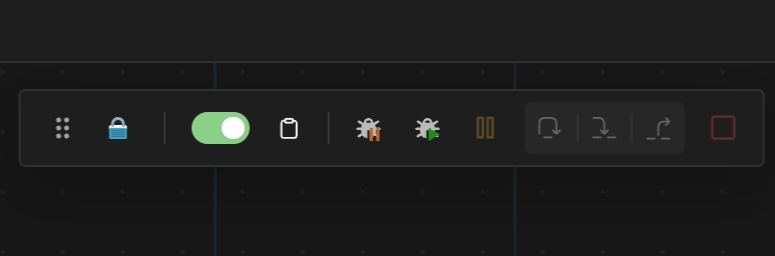
Section titled “Interface Controls”The control bar manages the lifecycle of your Debug Session. By default, your debug session is turned off.
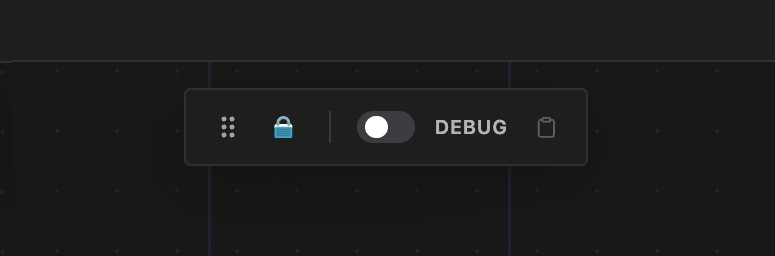
Once toggled on, a Debug Session Setup dialog appears. The setup steps depend on the type of graph you are debugging.
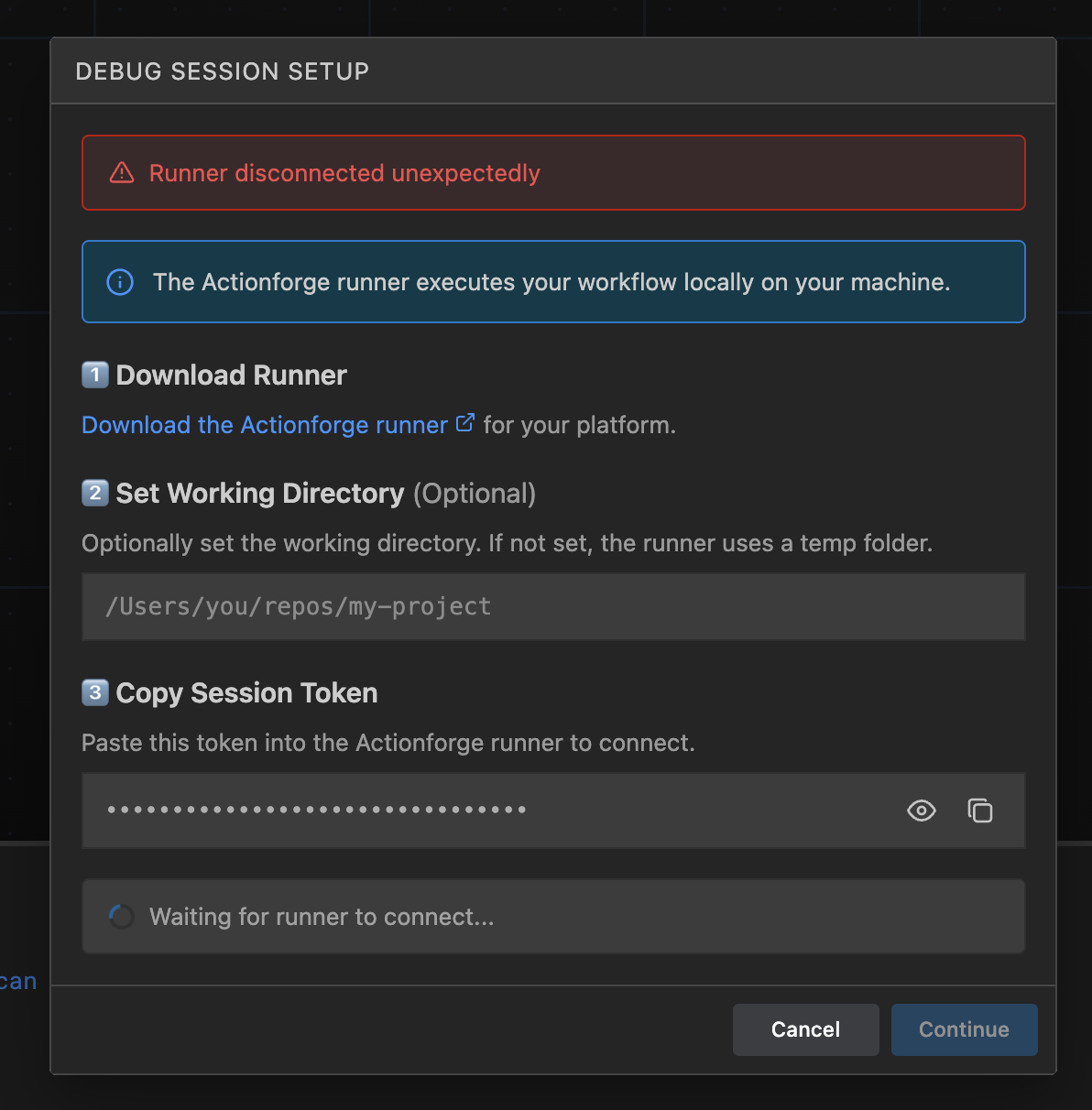
The setup dialog guides you through three steps:
- Download Runner — Download the Actionforge runner for your platform.
- Set Working Directory (Optional) — Set a working directory for the runner. If not set, a random new temp folder is used.
- Copy Session Token — Copy the session token and paste it into your local runner to connect.
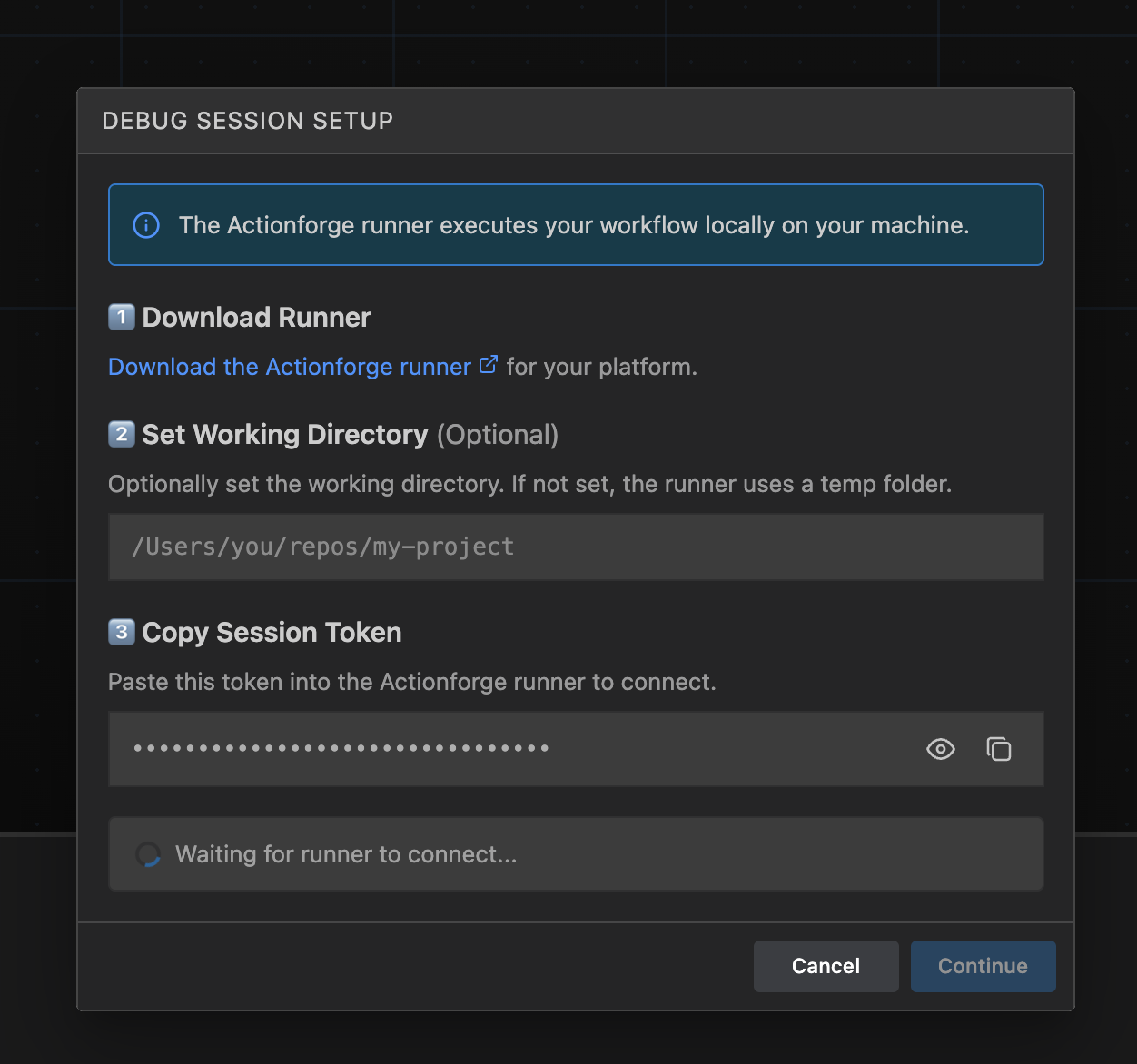
When you start your local runner, you will need to provide this token to authorize your machine to join the Debug Session.
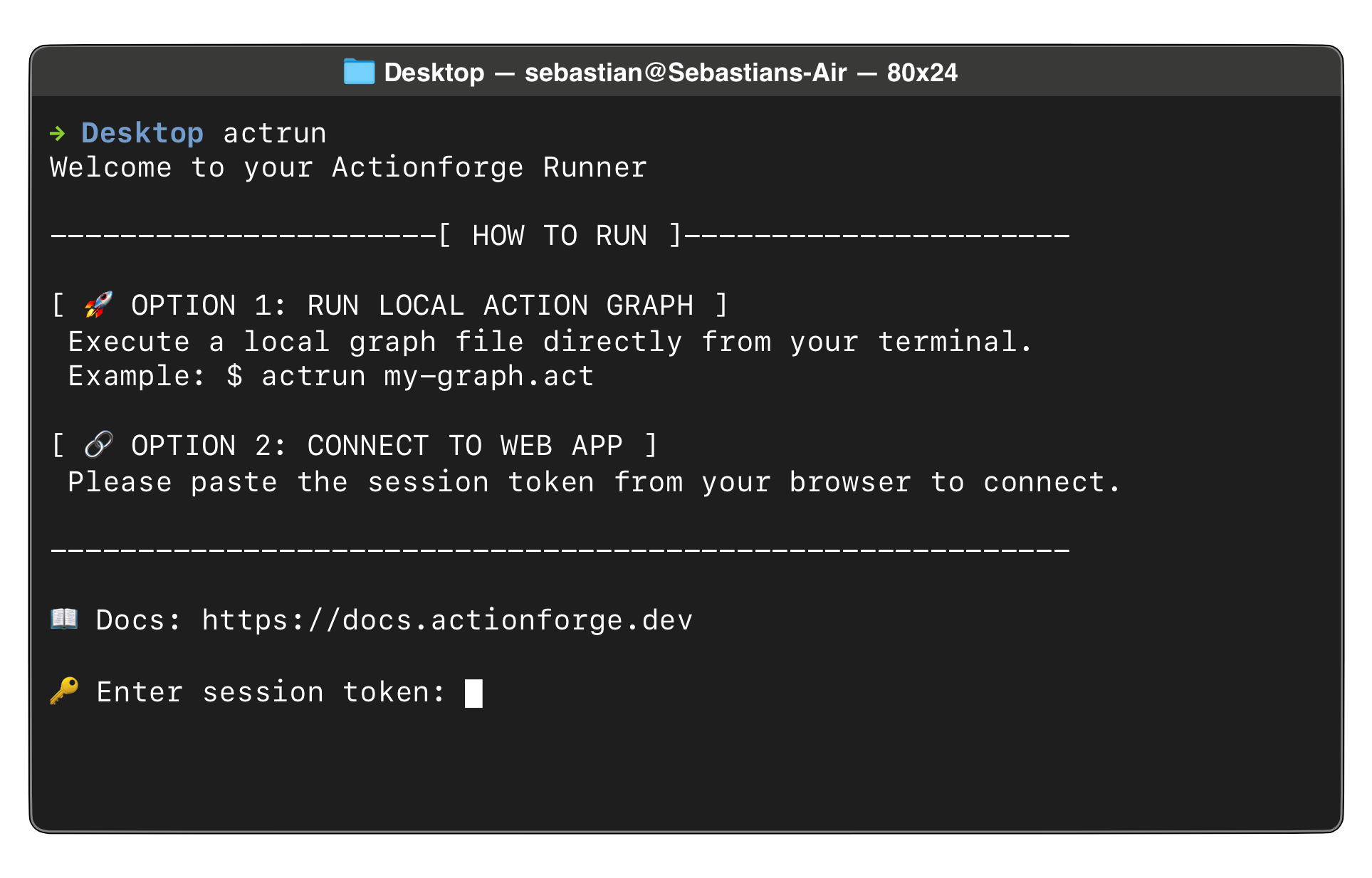
Alternatively, instead of setting up the session from your browser, you can let the runner set it up using the --create-debug-session flag. This skips the setup dialog and prints a link to the console when you run your graph manually. Opening the link in your browser connects you to the already-running debug session immediately.
actrun --create-debug-session ./my_graph.actActionforge lets you debug GitHub Actions workflow graphs on your machine, eliminating workflow bugs and reducing GitHub runner costs. When actrun detects a GitHub Actions workflow graph, it automatically sets up a simulated GitHub Actions environment so you can test your workflows locally before pushing them to GitHub.
The setup dialog includes additional fields specific to GitHub Actions:
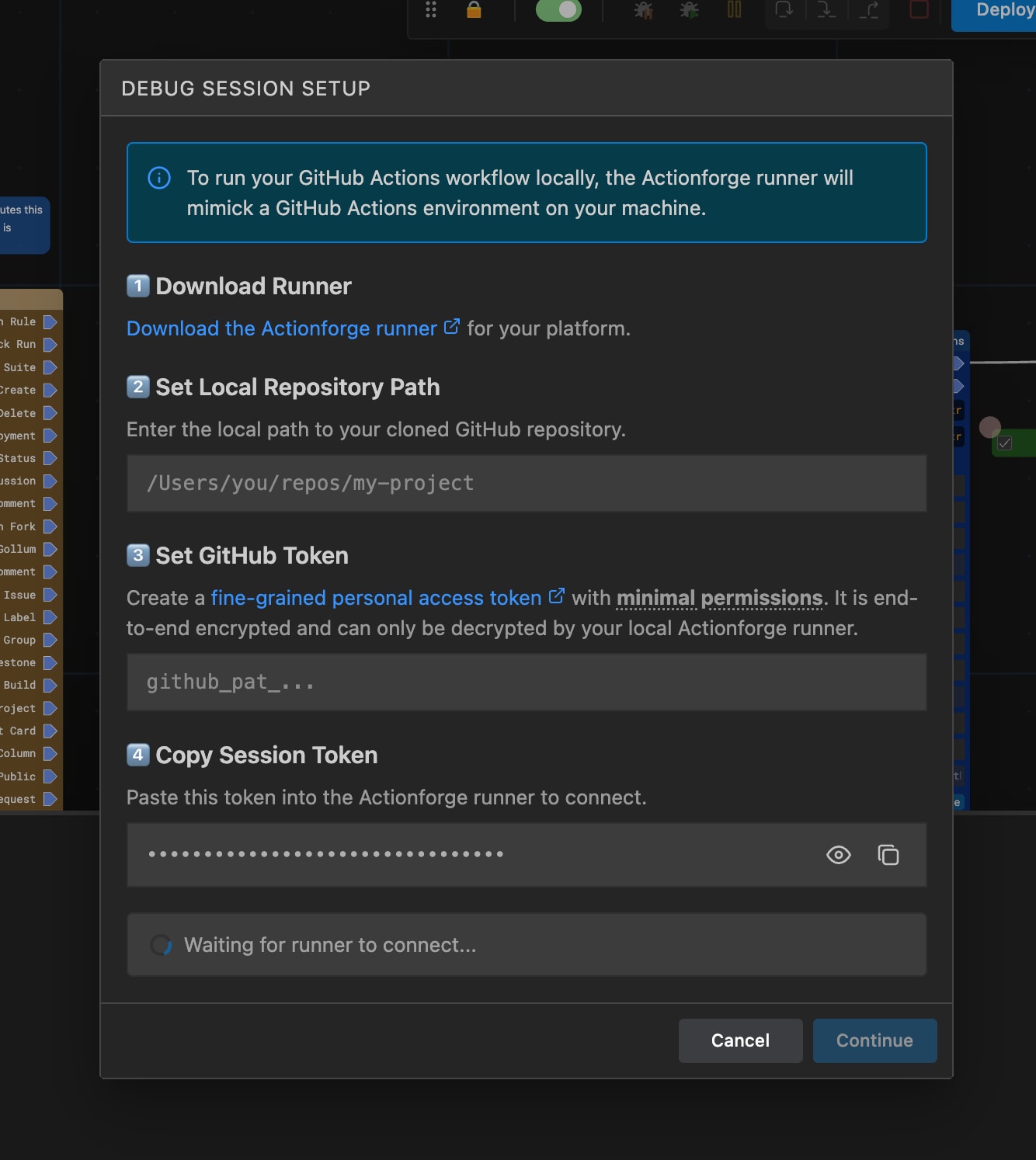
- Download Runner — Download the Actionforge runner for your platform.
- Set Local Repository Path — Enter the local path to your cloned GitHub repository. This is used as the
GITHUB_WORKSPACE. - Set GitHub Token — Create a fine-grained personal access token with minimal permissions. The token is end-to-end encrypted and can only be decrypted by your local runner.
- Copy Session Token — Copy the session token and paste it into your local runner to connect.
The dialog configures the environment for you — no manual environment variable setup is needed when using Debug Sessions.
CLI Setup (Without Debug Session)
If you prefer to run your GitHub Actions workflow graph directly from the command line, follow these steps:
1. Download and install actrun
Download and install the CLI actrun runner for your platform.
For detailed installation instructions, see the Installation Guide.
2. Create a GitHub Access Token
Many GitHub Actions require a GITHUB_TOKEN to authenticate with GitHub’s API. To run these actions locally, create a fine-grained personal access token :
- Click Generate new token
- Give it a descriptive name (e.g., “actrun local development”)
- Set an expiration date
- Select the repositories you want to access
- Under Repository permissions, grant the permissions your actions need. Unless you need specific GitHub API features, leave the default permissions which give
readaccess to public resources. - Click Generate token and copy the token
Set the token as an environment variable before running actrun:
export ACT_INPUT_TOKEN="ghp_your_token_here"PowerShell
$env:ACT_INPUT_TOKEN = "ghp_your_token_here"Command Prompt
set ACT_INPUT_TOKEN=ghp_your_token_here3. Set required environment variables
Navigate to your repository root and set the following environment variables:
cd /path/to/your/repoexport GITHUB_WORKSPACE="$(pwd)"export GITHUB_EVENT_NAME="push"PowerShell
cd C:\path\to\your\repo$env:GITHUB_WORKSPACE = (Get-Location).Path$env:GITHUB_EVENT_NAME = "push"Command Prompt
cd C:\path\to\your\reposet GITHUB_WORKSPACE=%CD%set GITHUB_EVENT_NAME=push| Variable | Description |
|---|---|
GITHUB_WORKSPACE | Path to your git repository root. actrun uses this to detect the repository name, branch, and commit. |
GITHUB_EVENT_NAME | The event that triggered the workflow (e.g., push, pull_request, workflow_dispatch). |
4. Run actrun
actrun my_workflow.actAutomatic Environment Setup
When actrun detects a GitHub Actions workflow graph running outside of GitHub Actions, it automatically configures the following environment variables based on your git repository:
| Variable | Value | Purpose |
|---|---|---|
CI | true | Signals CI environment |
GITHUB_ACTIONS | true | Signals GitHub Actions environment |
GITHUB_REPOSITORY | owner/repo | Derived from git remote origin |
GITHUB_REF | refs/heads/branch | Current git branch reference |
GITHUB_REF_NAME | branch | Current branch name |
GITHUB_SHA | Commit hash | Current HEAD commit |
RUNNER_OS | macOS / Linux / Windows | Detected operating system |
RUNNER_ARCH | X64 / ARM64 | Detected CPU architecture |
RUNNER_TEMP | Temp directory | Scratch space for actions |
RUNNER_TOOL_CACHE | ~/.actrun/tool-cache | Where actions cache tools |
The following files for action communication are also created automatically:
| Variable | Purpose |
|---|---|
GITHUB_OUTPUT | Actions write outputs here |
GITHUB_ENV | Actions set env vars here |
GITHUB_PATH | Actions add PATH entries here |
GITHUB_STATE | Actions save state here |
GITHUB_STEP_SUMMARY | Actions write summaries here |
Working Directory
By default, actrun sets the working directory to GITHUB_WORKSPACE for GitHub Actions workflow graphs. You can override this with the ACT_CWD environment variable:
export ACT_CWD="/path/to/custom/workdir"PowerShell
$env:ACT_CWD = "C:\path\to\custom\workdir"Command Prompt
set ACT_CWD=C:\path\to\custom\workdirACT_CWD takes precedence over GITHUB_WORKSPACE when both are set.
Optional Variables
If an action requires additional variables, add these to your environment:
# Workflow metadataexport GITHUB_WORKFLOW="My Workflow"export GITHUB_JOB="build"export GITHUB_RUN_ID="1"export GITHUB_RUN_NUMBER="1"
# GitHub URLsexport GITHUB_SERVER_URL="https://github.com"export GITHUB_API_URL="https://api.github.com"export GITHUB_GRAPHQL_URL="https://api.github.com/graphql"
# User info (replace with your details)export GITHUB_REPOSITORY_OWNER="your-username"export GITHUB_ACTOR="your-username"
Troubleshooting
GitLab CI support is coming soon.
Once connected, you will see the debug controls become active.
Runner Disconnection
Section titled “Runner Disconnection”If the runner disconnects at any time, a modal dialog will appear allowing you to reconnect. The dialog shows the session token again and waits for the runner to reconnect.
Encryption
Section titled “Encryption”All communication between your browser and your actrun program is end-to-end encrypted using AES-256-GCM . The Actionforge server acts only as a relay and cannot read or decrypt any of the messages exchanged during a Debug Session. This includes, but is not limited to, the graph file, config data like secrets or environment variables, and logs.
When a Debug Session is created, your browser creates a unique encryption key and is embedded into your session token. This token needs to be manually copied and pasted via your text clipboard from your browser to your actrun program, so the server never sees it.
The source code for the encryption mechanism in actrun is available here .
