
AI Assistant
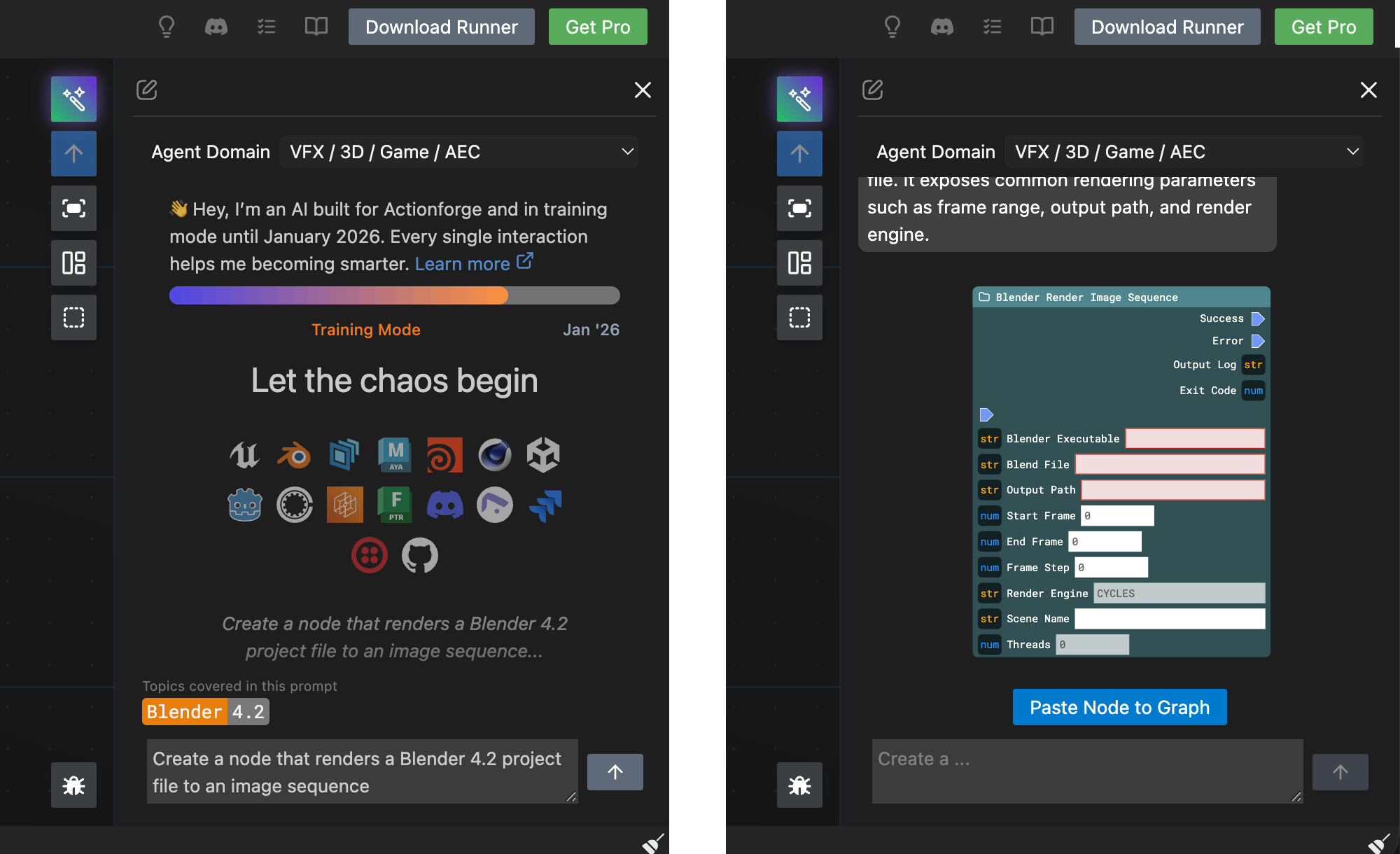
✨ Build Nodes with Natural Language
Section titled “✨ Build Nodes with Natural Language”Your intelligent companion for creating CG pipeline nodes. Describe what you need, and get a ready-to-use node.
What It Does
Section titled “What It Does”The AI Assistant generates custom nodes for your visual CI/CD pipelines. Specialized in CG workflows for Blender, Cinema 4D, Unreal Engine, Houdini, Maya, and the entire VFX/game development toolchain.
Simply describe your need in plain language. The assistant analyzes your intent, loads relevant documentation, and builds a complete node with all the right command line arguments, parameters, and options for any mentioned versions.
Quick Start
Section titled “Quick Start”1. Open the Assistant — Click the wand icon in the right toolbar
2. Describe Your Node — Use natural language:
- “Create a node that renders a Blender project to an image sequence”
- “Run a Cinema 4D scene with Redshift”
- “Execute an Unreal Engine cook command”
3. Paste to Graph — Review the generated node and click “Paste Node to Graph”
Version Numbers: Critical for Quality
Section titled “Version Numbers: Critical for Quality”Consider Providing Versions for Local Tools
Section titled “Consider Providing Versions for Local Tools”Provide version numbers immediately after the tool name:
- ✓
"Blender 4.2" - ✓
"Cinema 4D R2026" - ✓
"Unreal Engine 5.4" - ✓
"OpenCue 0.23"
Why? Different versions have different CLI flags, parameters, and APIs. Specifying the version prevents hallucinations and ensures the assistant generates accurate, tested commands.
Omit Versions for HTTP APIs
Section titled “Omit Versions for HTTP APIs”If you are integrating with web services, omit version numbers. The assistant is trained on the latest stable OpenAPI specification for these services:
- ✓
Twilio - ✓
Shotgrid - ✓
Discord - ✓
Slack - …
No Version? Latest Assumed
Section titled “No Version? Latest Assumed”If you don’t specify a version, the assistant uses the latest stable release. This works well for evergreen workflows but may cause issues if you’re on older software.
Examples
Section titled “Examples”Basic:
“Create a Blender 4.2 render node”
Specific:
“Create a node that renders a Blender 4.2 project using Cycles, outputting to a custom path with frame range controls”
Multi-tool:
“Execute a Houdini 20.5 PDG cook and send a Slack notification on completion”
Training Mode
Section titled “Training Mode”The assistant is actively learning until the end of February 2026. Every single interaction improves accuracy for the entire community. Your questions and corrections make the system smarter.